 Case Study
 ConvertIQ: AI-Powered E-Commerce Conversion Optimization
How do you make AI-driven site analysis accessible to small business owners who don't have technical SEO knowledge?
Role
Solo Product Designer & Developer
Timeline
~10 days · 130+ commits
Platform
Web SaaS (Live)
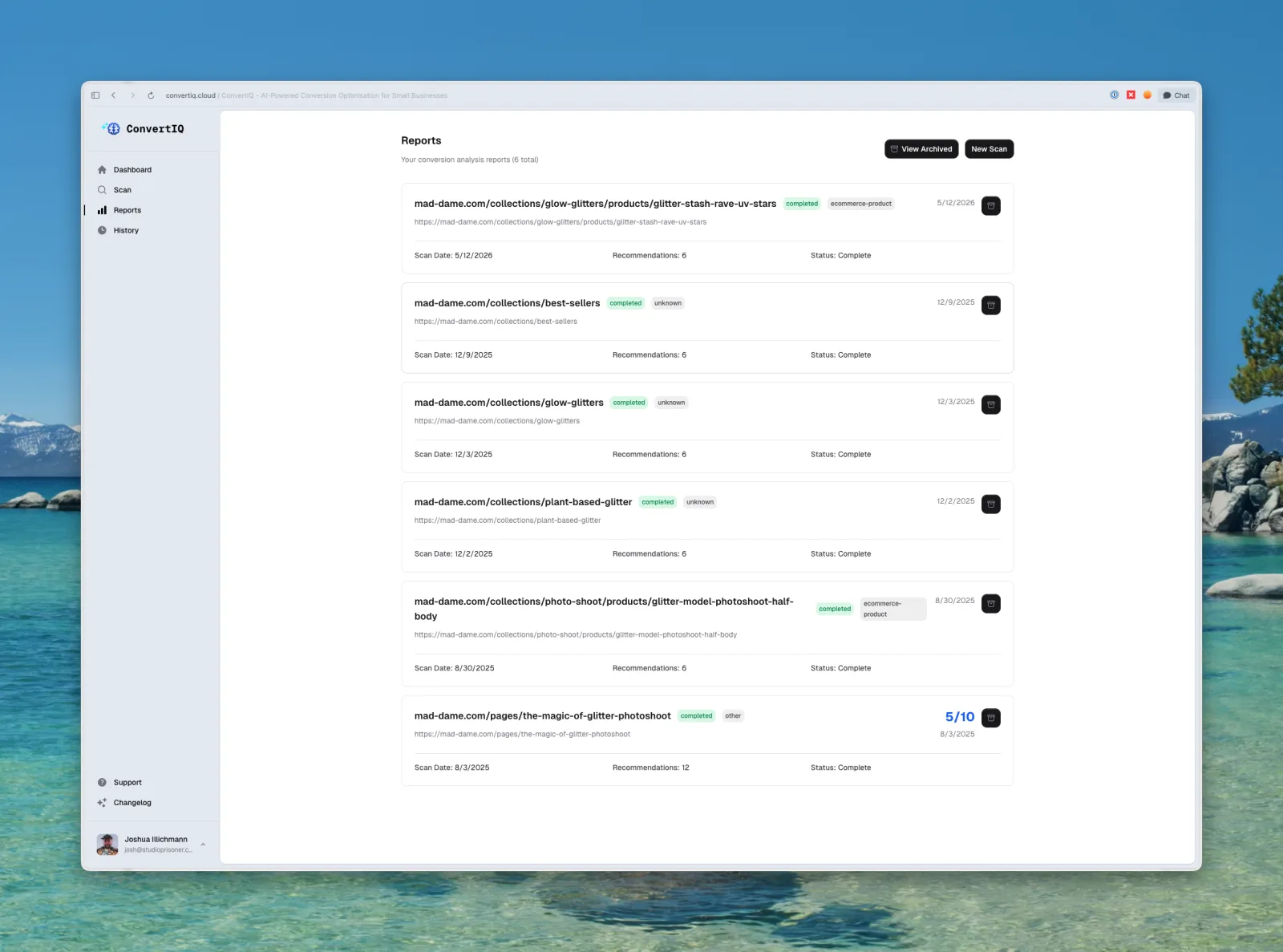
THE PROBLEM
Small business owners running e-commerce stores face an invisible problem: their website is costing them sales and they don't know why.
They've set up their Shopify or WooCommerce store, listed their products, maybe even run some ads, but visitors aren't converting. The gap between “getting traffic” and “making sales” is filled with technical concepts most small business owners have never encountered: page speed, mobile optimisation, SEO structure, conversion-focused copy, trust signals.
The tools that do exist (Google Lighthouse, SEMrush, Ahrefs) are built for developers and SEO professionals. They output walls of technical jargon, scores without context, and recommendations that assume you know what a “render-blocking resource” is. For a small retailer doing under $100K a year, these tools create more confusion than clarity.
The insight: Small business owners don't need another SEO tool. They need someone to look at their store, tell them what's wrong in plain language, and show them exactly what to fix, ordered by what will make the biggest difference.
That's what ConvertIQ does.
RESEARCH
The “plain language” insight wasn't a guess. It came out of talking to the people this is for. On a tight timeline I kept research lightweight but deliberate.
1:1 conversations with store owners
I spoke with small e-commerce operators about how they think about their own websites. The pattern was consistent: they knew something was off with their conversion rate, but the tools meant to help (Lighthouse, SEMrush, Ahrefs) left them more confused, not less. They didn't lack effort; they lacked a translation layer.
Listening to the wider community
I read through Shopify and WooCommerce forums, e-commerce subreddits, and reviews of existing SEO tools to understand where they break down for non-technical owners. The recurring complaint: walls of jargon and scores with no sense of what to actually do first.
What I heard
- “Tell me what's wrong in words I understand.”
- “I don't have time to read a report. Just tell me what to fix first.”
- “I can't tell if these scores are good or bad.”
How it shaped the design: this is the origin of the three-layer hierarchy (scores → insights → recommendations) and the priority + effort tags on every recommendation. The whole product is a direct response to what these conversations surfaced.
TARGET USERS
Small e-commerce business owners , typically running a single Shopify, WooCommerce, or similar store with annual revenue under $100K. They're hands-on operators: they photograph their own products, write their own descriptions, and manage their own store. They're resourceful but not technical.
What they have in common
- They know their conversion rate isn't great, but don't know why
- They've heard of “SEO” but it feels like a black box
- They can't afford an agency or a dedicated developer
- They need actionable steps, not audits full of jargon
Secondary audience: small agencies managing multiple client websites who need a quick, repeatable way to audit and optimise e-commerce stores.
THE SOLUTION
ConvertIQ is an AI-powered platform that scans e-commerce websites and delivers clear, prioritised recommendations to improve conversion rates. Users paste in their URL, the AI analyses their site across multiple dimensions, and they get a structured report telling them exactly what to fix and in what order.
DESIGN PROCESS
Making AI output human-readable
This was the central design challenge of the entire product. AI analysis generates a lot of data. The temptation is to show everything: every finding, every metric, every recommendation. But for a non-technical user, that's paralysing.
The problem I was solving: How do you take the output of an AI analysis pipeline and present it so that a small business owner can look at it and immediately know (a) how their site is performing, (b) what the biggest problems are, and (c) what to do about them, without needing to Google every second word?
My approach was a three-layer information hierarchy:
Layer 1: Scores (the snapshot)
Four clear category scores give users an instant read on their site's health: Page Speed, Mobile Optimisation, SEO Score, and Conversion Readiness. Each score is visual and unambiguous, so you immediately know if you're in good shape or not. This answers “how am I doing?” in under two seconds.
Layer 2: Key Insights (the diagnosis)
Below the scores, a curated set of key insights surfaces the most important findings in plain language. Not every data point the AI discovered, just the ones that matter most. This answers “what's actually wrong?” without overwhelming the user.
Layer 3: Recommendations (the action plan)
The detailed recommendations are organised into four clear categories: Conversion Optimisation, User Experience, Technical Implementation, and SEO & Visibility. Within each category, every recommendation is tagged with a priority level (what to fix first) and an effort estimate (how hard it is to implement). This answers “what should I do about it?” in a way that lets a non-technical person create an actual plan.
This three-layer structure means a user who has five minutes gets value from the scores alone. A user who has thirty minutes can work through the recommendations and start making changes. Nobody hits a wall of text.
Communicating progress during analysis
AI analysis takes time. The system is crawling pages, running checks, and generating insights. A static loading screen would make users wonder if anything is happening, or worse, close the tab.
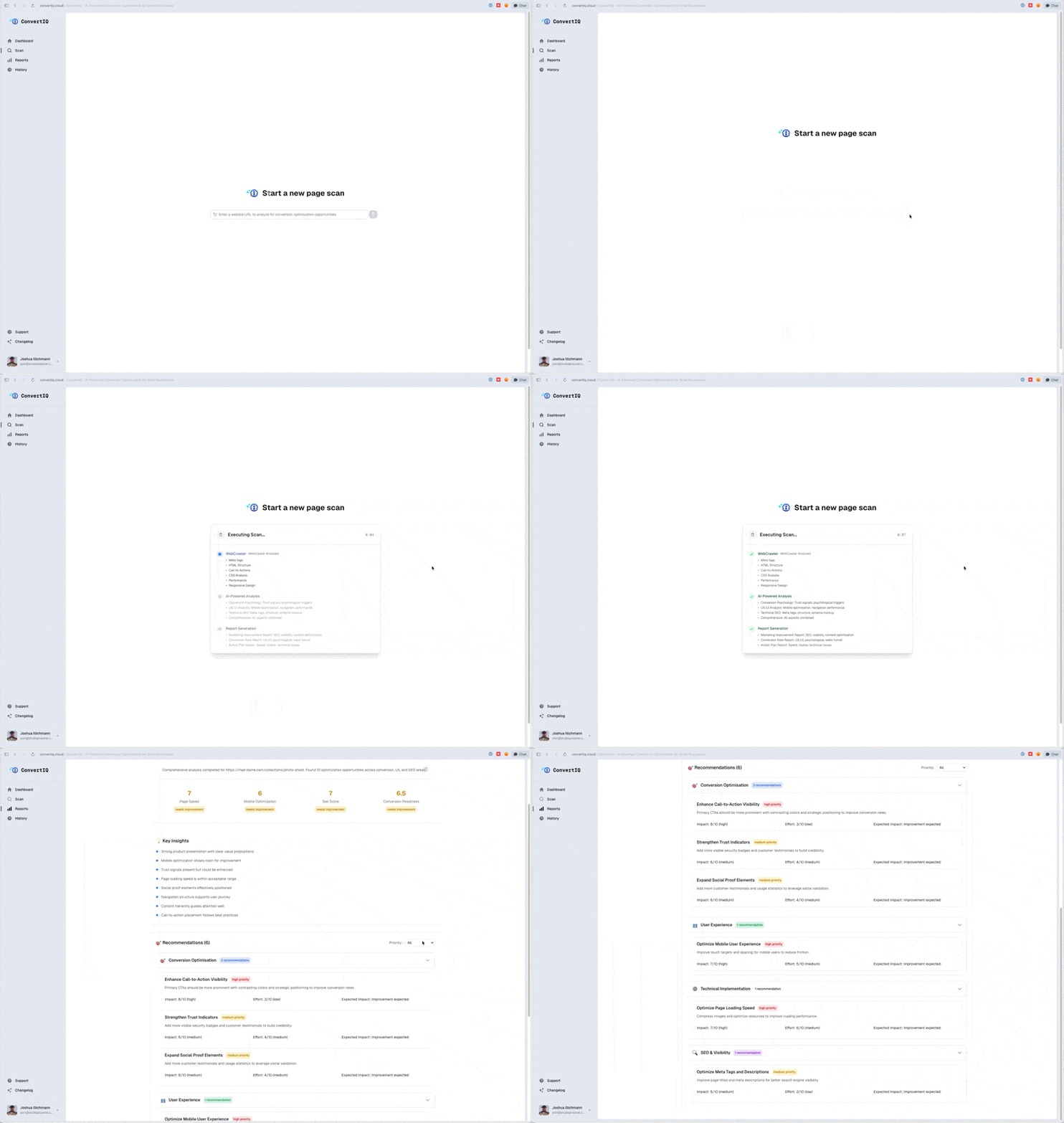
The design decision: I built a dynamic progress experience that shows the scan actively working. A progress indicator communicates that the system is doing something meaningful, not just spinning its wheels. Users can see the analysis progressing through stages, which builds confidence that the wait is worth it.
Why this matters: For a product where the core value proposition is “we analyse your site,” the analysis experience IS the product. If the scanning feels broken or uncertain, users lose trust before they even see the results.
Dashboard design
The dashboard needed to serve users who might scan multiple pages across their site over time. The challenge was keeping it simple for first-time users (who've done one scan) while scaling for returning users building a history.
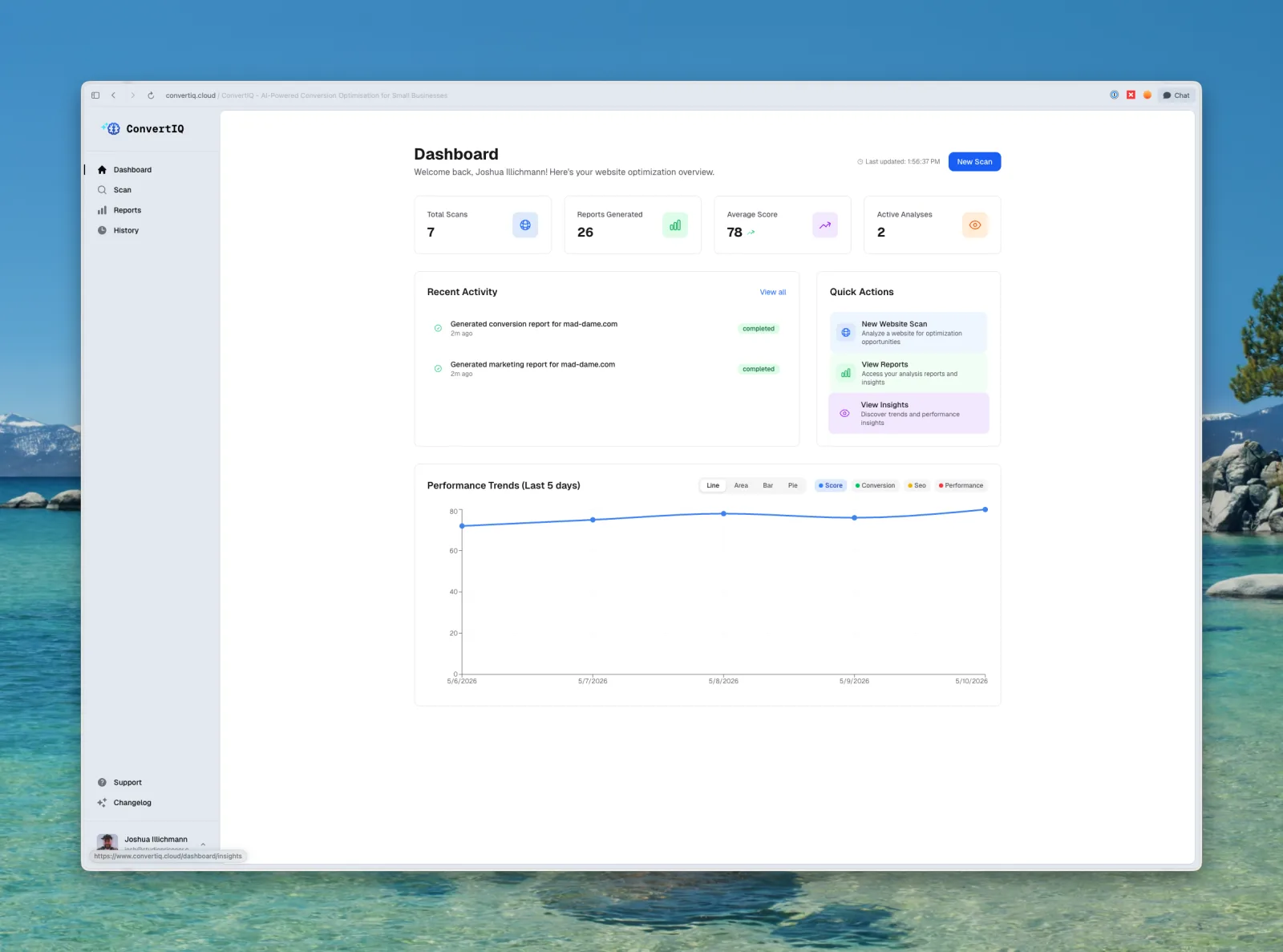
What the dashboard shows
- Total scans completed
- Total reports generated
- Average score across all scans (giving a holistic site health view)
- Quick actions to start a new scan or revisit recent reports
I kept the dashboard deliberately minimal. The temptation with analytics dashboards is to pack in charts, trends, and comparisons. But for this audience, small business owners who are time-poor and action-oriented, the dashboard should answer one question: “what should I do next?” The quick actions ensure they're always one click away from their next scan or their most recent report.
Pricing architecture
The pricing model needed to serve two distinct user types without overcomplicating the offering.
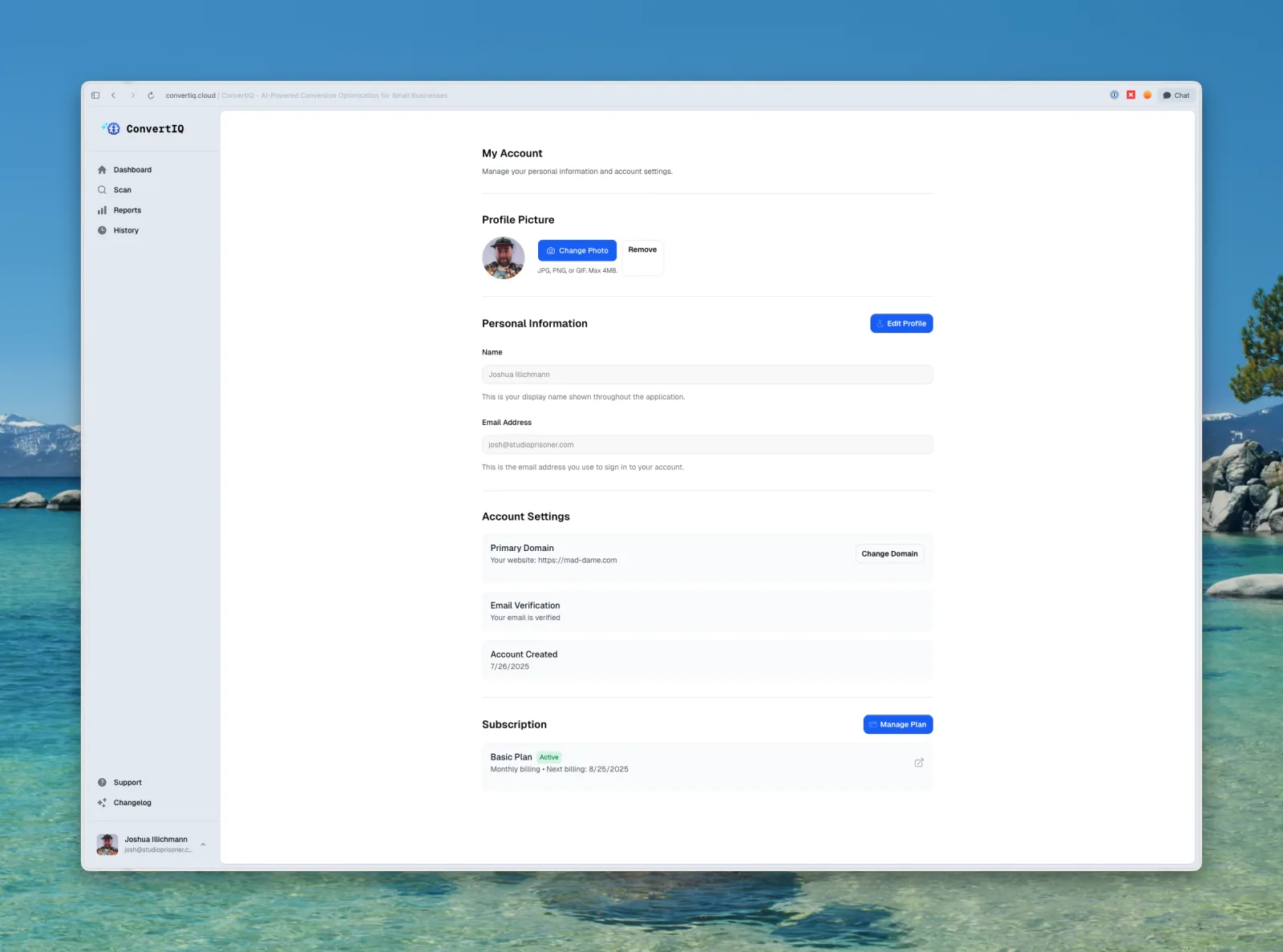
- Basic plan: designed for the core user: a small business owner with one website. Unlimited scans so they can re-analyse after making changes and track improvement over time. The value proposition is simple: one site, unlimited optimisation.
- Pro plan: designed for the secondary audience: small agencies managing multiple client sites. Supports up to 10 domains, making it a practical tool for client work. The upgrade path is clear: if you're managing more than one site, Pro is for you.
Key decisions
- No free tier. Signals that ConvertIQ delivers real value, not a watered-down preview. Free tiers often attract users who never convert and create support overhead. For a solo-built product, this was also a sustainability decision.
- External payment merchant, kept on brand. The checkout flow uses an external payment provider but the experience stays visually consistent with ConvertIQ's brand, with no jarring redirects or broken design continuity.
- Two tiers only. No “enterprise” tier, no feature matrix with 15 rows. Two clear options, one obvious differentiator (number of domains). Easy to understand, easy to choose.
TESTING
Because the whole premise is “make AI output understandable,” I couldn't judge the reports on my own. I know too much about what's under the hood. So I put the results page in front of non-technical people: a round of user testing plus informal sessions with friends and family, watching them read a real report cold.
What I watched for
Could they tell, within seconds, whether their site was in good shape? Did they know what to do next? Which words made them pause or reach for Google?
What testing changed
- Scores earn trust first. People oriented on the four category scores before reading anything else, which validated leading with the snapshot and keeping the detail below it.
- “What do I do first?” was the real question. Testers gravitated straight to priority, confirming that the priority and effort tags weren't decoration, they were the point.
- Jargon got cut. Any term that made a tester pause became a signal to rewrite the insight in plainer language. The copy got simpler every time someone new read it.
Testing also confirmed the scan-progress experience was doing its job: nobody assumed the app had frozen, because the staged progress kept telling them it was working.
ACCESSIBILITY
ConvertIQ's audience checks their store on whatever device is in their hand, so the baseline had to hold up across screen sizes and text settings.
What I addressed
- Tap & click targets: interactive elements sized so the product is comfortable on a phone, not just a desktop.
- Responsive text scaling: layouts hold together when text is zoomed or the browser font size is bumped up, so the reports stay readable for people who size text larger.
What I'm still improving
A formal colour-contrast audit, full keyboard-navigation coverage, and a screen-reader pass against WCAG are the next step. I'd rather name accessibility as an area I'm actively learning than overstate where it stands today.
VELOCITY
Shipping fast: 10 days, 130+ commits
ConvertIQ went from concept to live product in approximately 10 days. This wasn't cutting corners. It was a deliberate exercise in rapid product development.
What made this possible
- Strong PRD upfront. I wrote a detailed product requirements document before writing any code. This meant I wasn't making scope decisions mid-build.
- Opinionated tech stack. Next.js App Router, tRPC, Tailwind CSS, Drizzle ORM, PostgreSQL, Redis, Vercel, BetterAuth, Polar, and Resend. Every tool chosen for speed and reliability.
- Design-then-build, not design-while-building. Having Figma mockups and a clear information architecture before development meant the build phase was execution, not exploration.
- Ruthless scoping. Every feature was evaluated against “does this need to exist for launch?” If not, it was cut or deferred.
Why this matters for a design portfolio: Shipping fast demonstrates that design thinking and rapid execution aren't opposites. Good design decisions, like clear information hierarchy, simple pricing and progressive disclosure, actually accelerate development because you're not redesigning mid-sprint.
DECISIONS
What I built
- AI-powered site scanning with dynamic progress UX
- Three-layer results hierarchy : scores, insights, recommendations
- Priority + effort tagging on every recommendation
- Four analysis categories : Conversion, UX, Technical, SEO
- Minimal dashboard focused on action, not vanity metrics
- Two-tier pricing: simple, clear, no free tier
What I intentionally left out
- Competitor comparison features : tempting but out of scope for V1. Users need to fix their own site first.
- Historical trend charts : useful for power users but premature. Average score provides enough signal for now.
- White-label / agency branding : a natural Pro feature but adds complexity. Deferred.
- Free tier: deliberate positioning decision, not an oversight.
OUTCOMES
What shipped
ConvertIQ is live and taking users , a fully functional SaaS product serving Australian small business owners and e-commerce operators.
What I learned
- Information hierarchy is the product. The difference between ConvertIQ and a raw AI output dump is entirely in how the information is structured and presented. The three-layer approach (scores → insights → recommendations) turned overwhelming data into an actionable plan. This is where design creates business value.
- Progress UX builds trust. For a product where users wait for AI analysis, the scanning experience directly impacts whether they trust the results. A loading spinner says “wait.” A progress indicator says “we're working for you.” That distinction matters.
- Constraints clarify positioning. No free tier. Two plans. One clear differentiator. These constraints weren't limitations. They were positioning decisions that made the product easier to understand, easier to sell, and easier to build.
- Speed and quality aren't opposites. Shipping in 10 days with a strong PRD, clear design system, and opinionated stack proved that velocity comes from decisions made before the build, not shortcuts made during it.
What's next
- User feedback integration to refine the recommendation engine
- Historical score tracking and trend visualisation
- Expanded platform-specific recommendations (Shopify-specific, WooCommerce-specific)
- Agency features for Pro tier (client reporting, white-label)
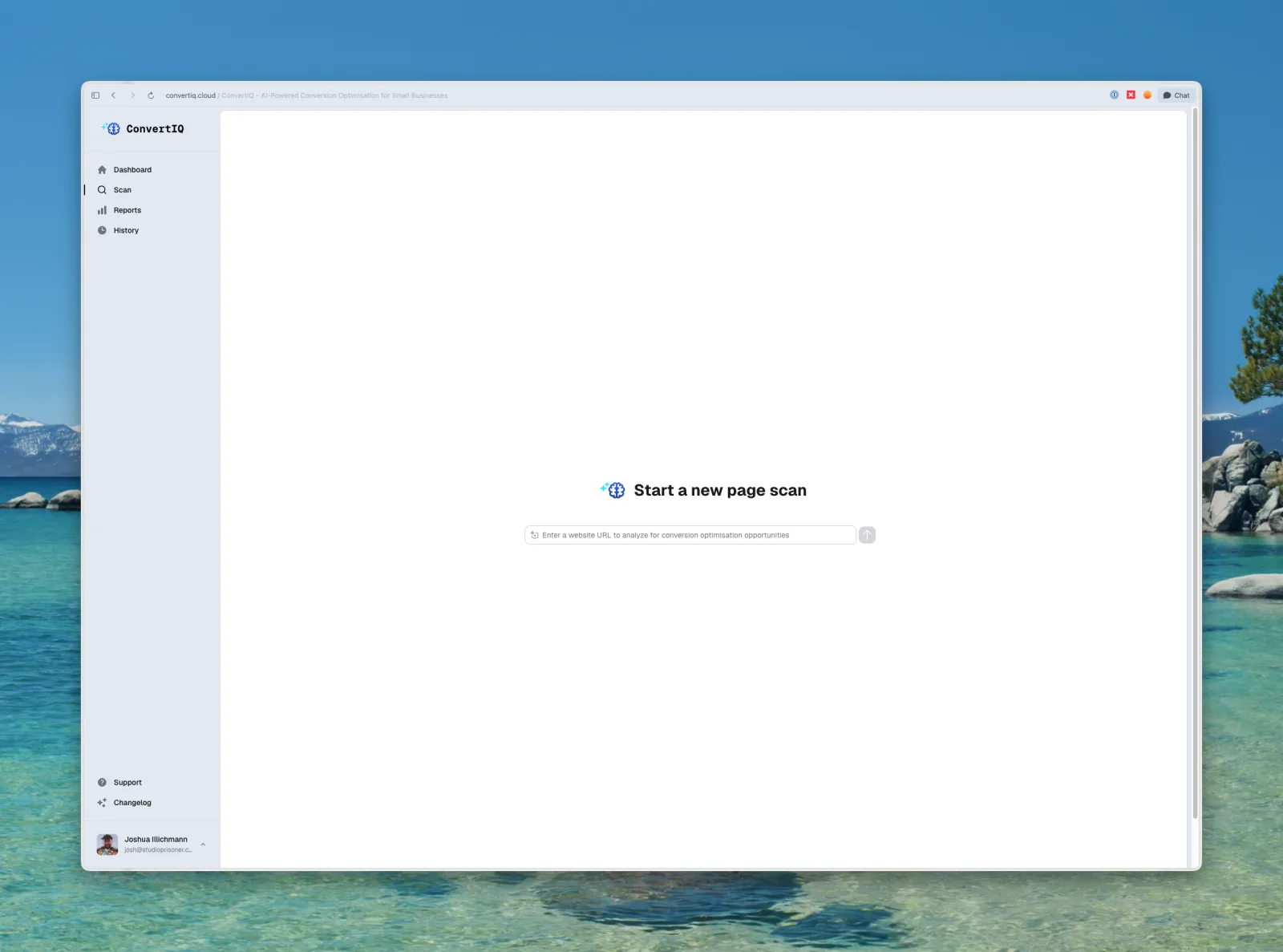
SCREENSHOTS
More projects
Browse the rest of my work or get in touch.